Step 01
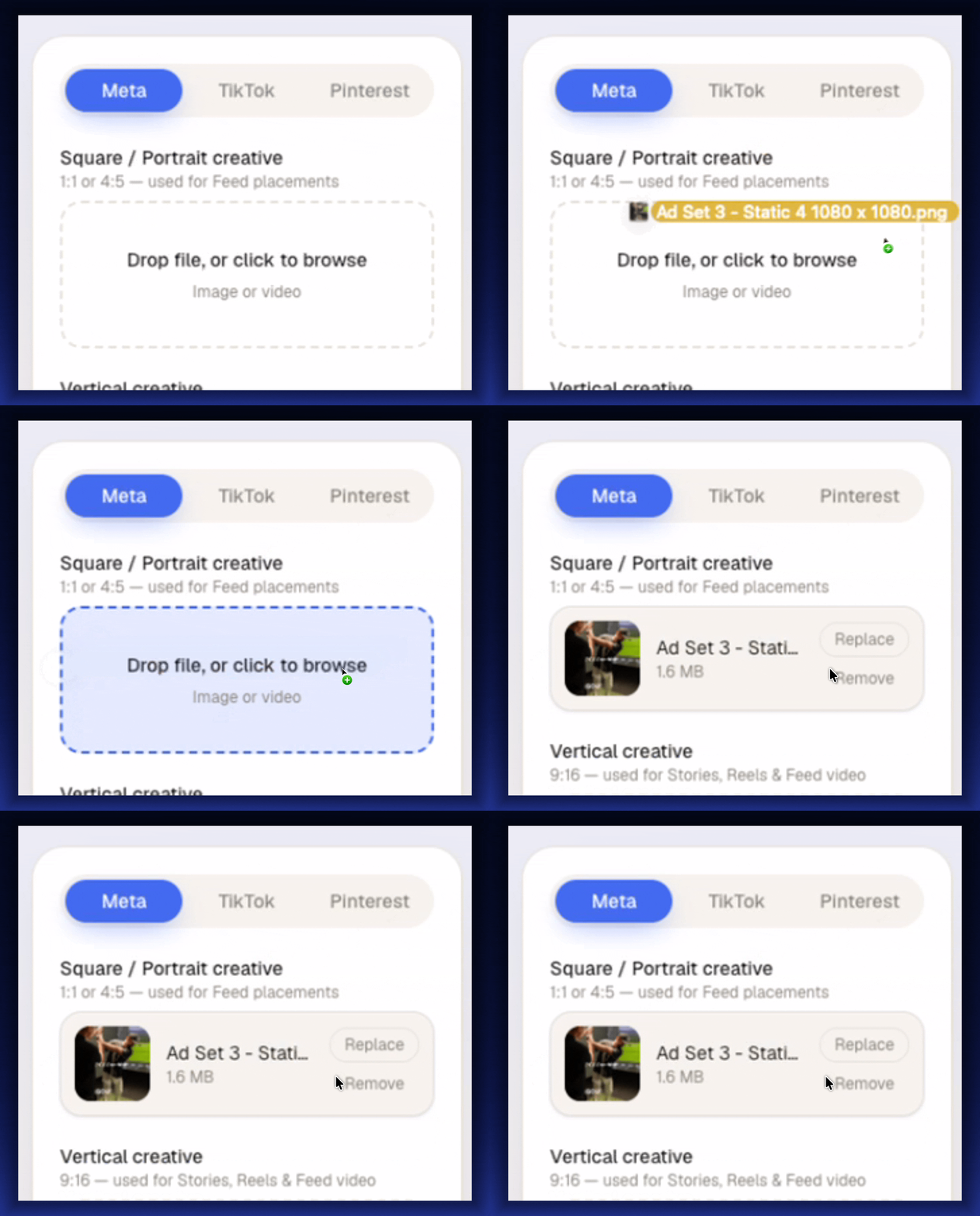
01
Drop a file
Upload the creative.
Add a square, portrait, or vertical creative. See every safe zone in real time for Meta, TikTok and Pinterest.
 Lifetime Deal →
For agencies, freelancers & media buyers shipping paid social
Safe Zones Pro prevents costly ad placement mistakes by showing you exact safe zone overlays for Meta, TikTok, and Pinterest before you publish. Visualized UI elements, icons, and CTA cut-offs in real time so your creative always lands flawlessly.
Instant accessNo subscription, ever30-day promise
The problem
Does it feel like you spend more time explaining safe zones than making the ads?
Your client sends over a beautiful creative for Meta. The logo sits proudly in the top-left, the offer runs along the bottom, and it looks immaculate — in Canva. In the feed, the profile row eats the logo, and the caption swallows the offer. You then have to painfully explain Meta formats and safe zones again for the 10th time this week.
That back-and-forth is costing you hours every week. Safe Zones Pro fixes it in seconds.
Drag and drop your creative. Instantly show clients exactly what gets cut off when it's not in the safe zone. Generate one shareable link with every placement mapped out — no confusion, no guesswork, no endless revision rounds.
Do the maths
Two creative updates a week, at $180 each, is $18,000 a year — billed or unbilled, you never get it back.
Even at a freelance rate of $95 p/h, that's $9,500 a year! Safe Zones Pro pays for itself even if it only saves you an hour for the whole year!
The root cause
The old way
Your creative looks beautiful on inside design platforms. But no one on social channels will ever see it that way — but that's the version everyone signs off on.
Why it keeps failing
A spec sheet is four numbers per placement, times twelve placements, held in your head. Nobody does that maths reliably — so mistakes get made, which leads to multiple rounds of creative revisions.
The new way
Stop checking creative against numbers and see how it'll actually look on each platform. Ensure your logo, CTA and copy are placed perfectly in the safe zones on the first draft.
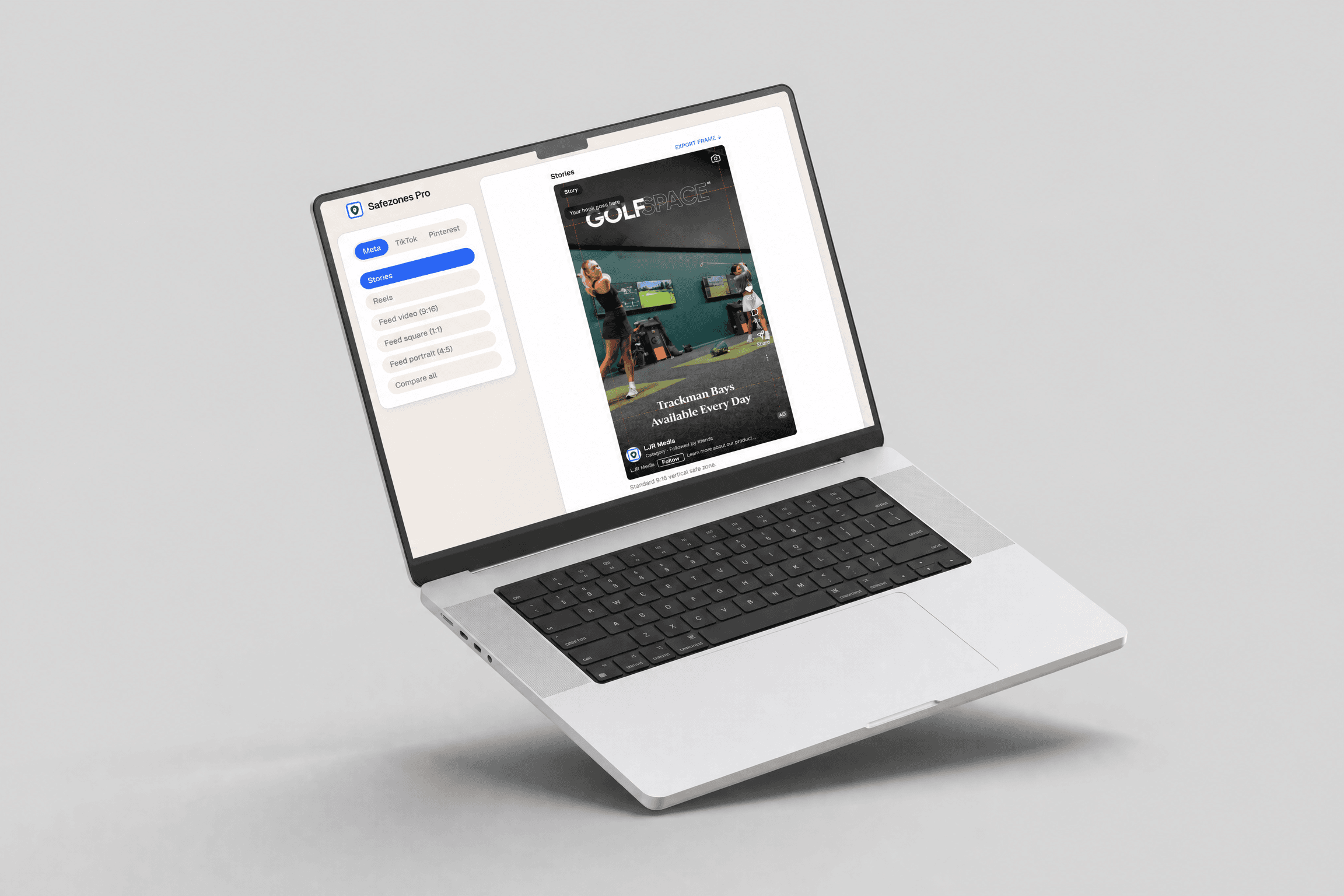
From export to approval
Safe zones are not a memory test. If the profile row, caption, or action rail is already sitting on top of the creative, there is nothing left to calculate.
The workflow puts every decision where it belongs: one simple upload, perfectly aligned for every placement.
Drop a file
Add a square, portrait, or vertical creative. See every safe zone in real time for Meta, TikTok and Pinterest.
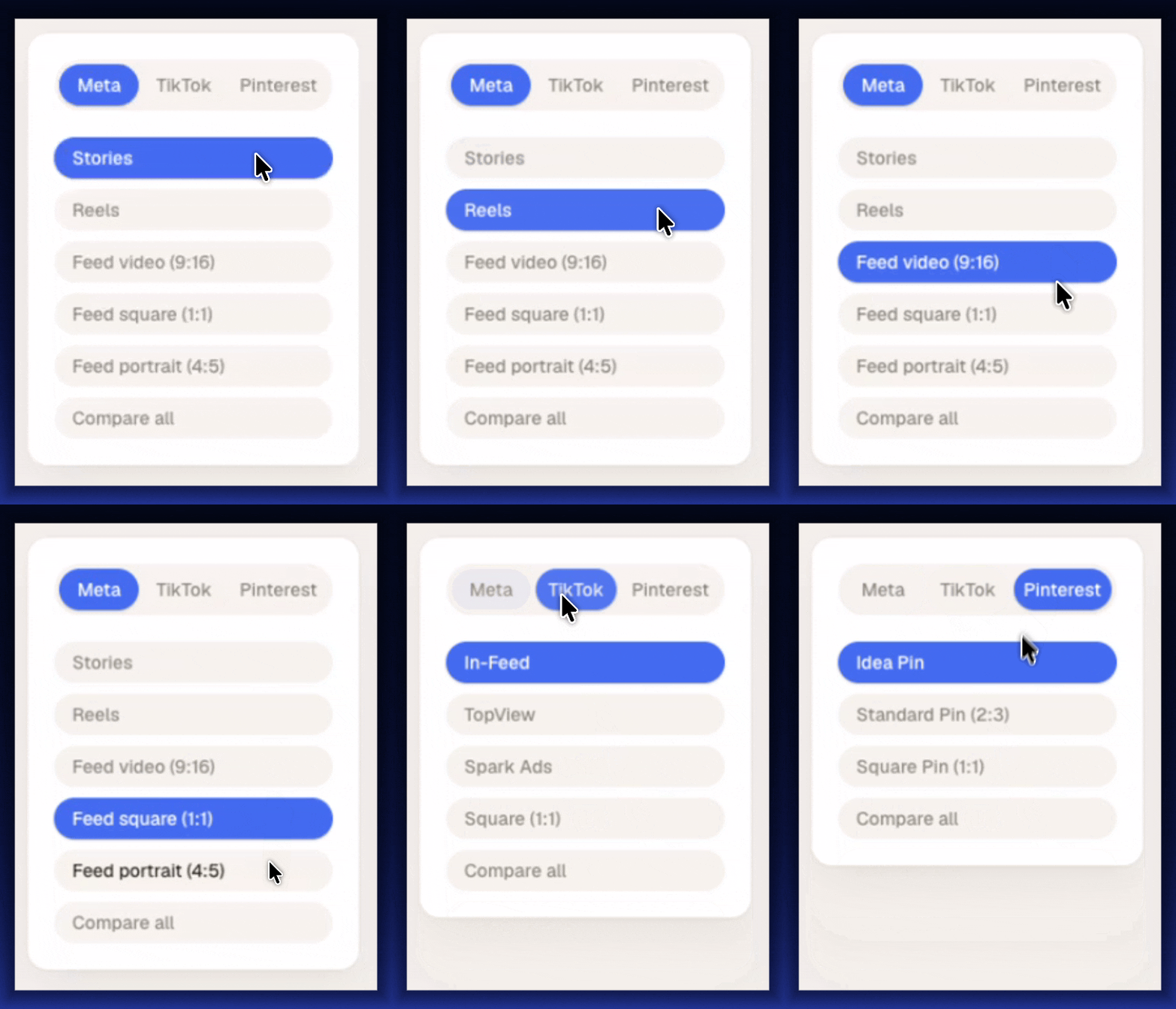
Live frame
Switch between Meta, TikTok, and Pinterest frames to see exactly where interface elements can cover the creative.
Client review
Put the approved creative in front of the client so they can see how their ads will look before launch — never a cut-off headline, image or CTA.
Final check
If a hook, CTA, or logo lands in the shaded area, fix it while the creative is still in review — not after it is live.
Compare all
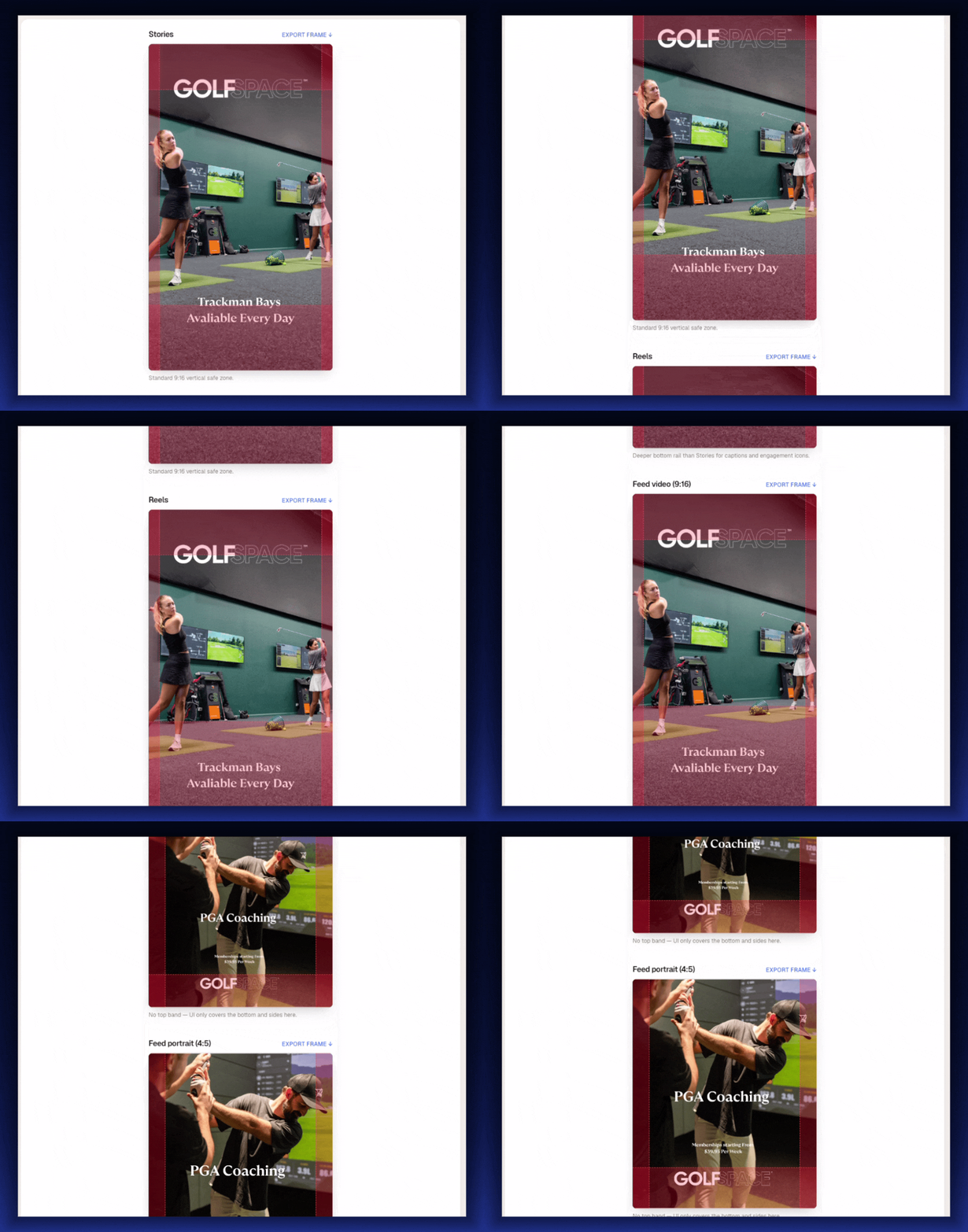
This is the app's Compare all view — the same creative dropped into every frame the platform will actually serve it in.
Same offer block in every frame — cleared on 1 of 5 Meta placements. Reels grows to a 40% bottom margin when the ad carries a disclaimer, one toggle in the app.
Client review
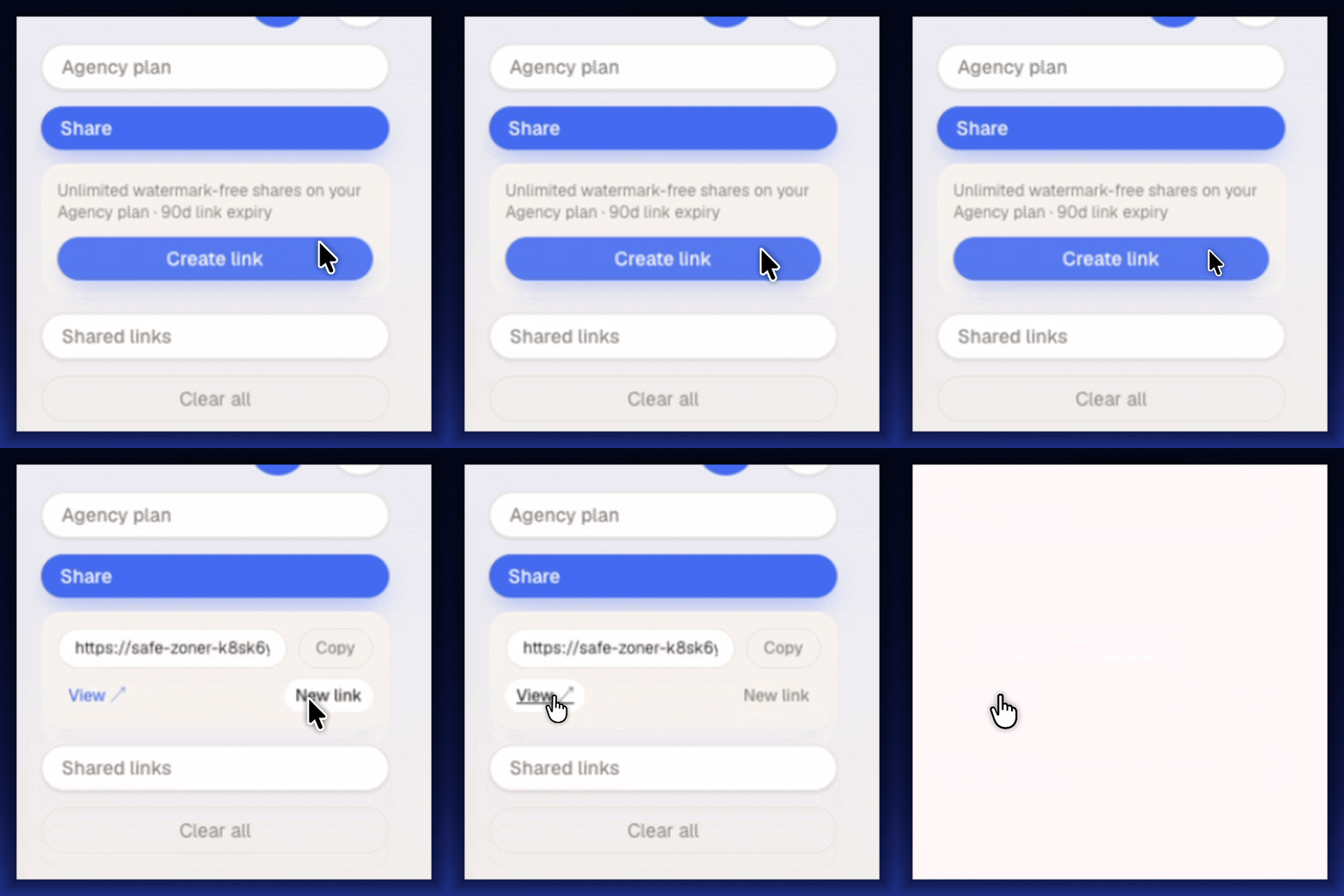
Hit Share and you get a link the client opens in any browser — every placement, exactly as your customers will see it. Nothing to install, no account needed. Show them exactly how the creative will look, without 4 rounds of revision.
Get 90 day expiry shareable links on the lifetime plan. Share all placements with one click. Branded with your agencies logo and colours.
Start Sharing Now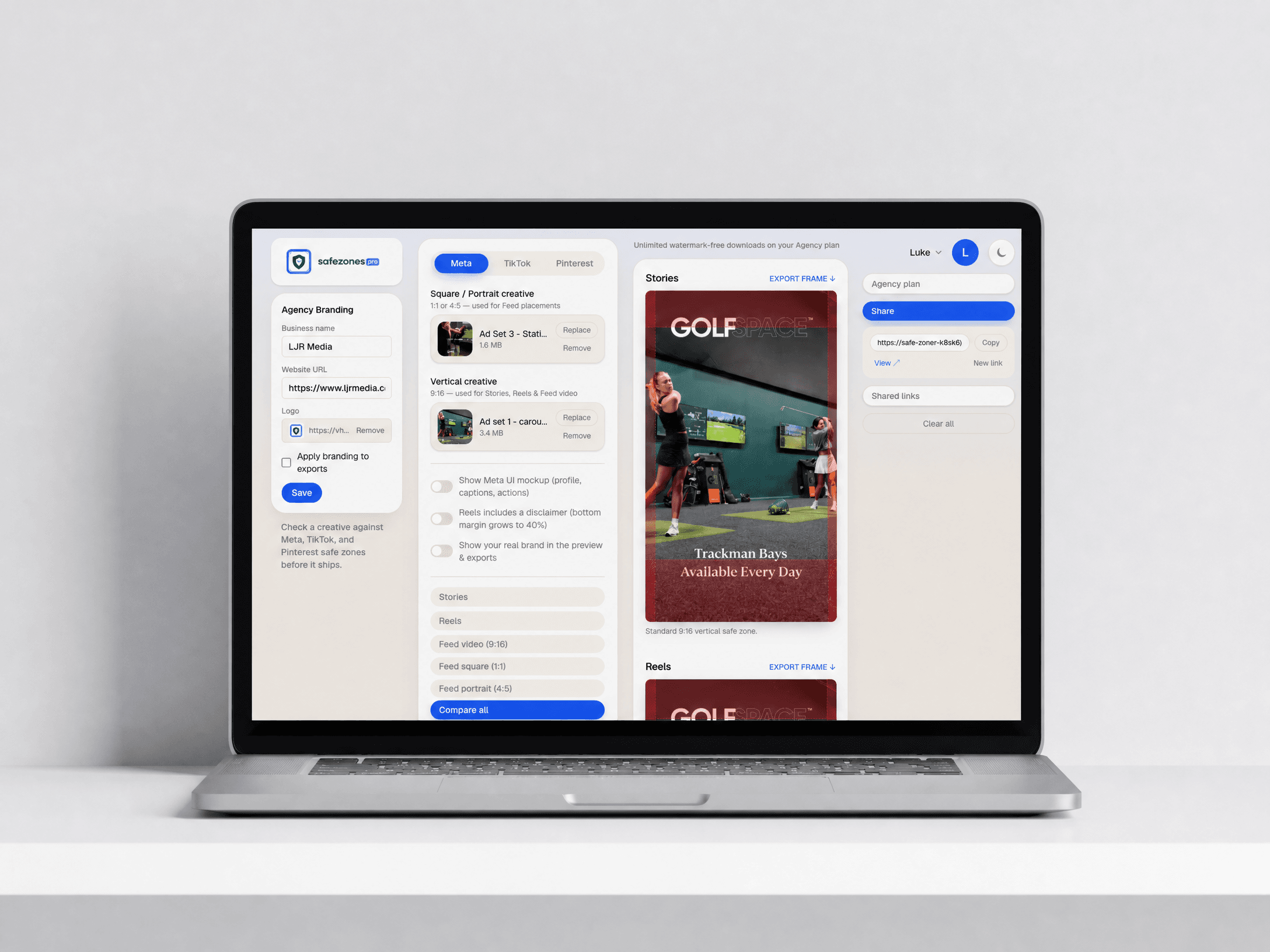
Why trust the numbers
Pixel-perfect safe zones from Meta's, TikTok's and Pinterest's own creative guidelines, ensuring your ads always look perfect.
Each placement tells you which UI element owns which margin, so you can defend the call in a client meeting instead of citing a tool.
Platforms redesign their overlays without telling anyone. When they do, the numbers change here and your licence already covers it.
The offer
Everything below is included in the lifetime licence — the tool, the bonuses, and every placement added from here on.
Risk reversal
Run your next month of creative through it. If it doesn't kill at least one revision round, email us inside 30 days and we'll refund the whole $67 — and you keep the cheat sheet. You're risking one email; the status quo is costing you an afternoon a week.
A spec sheet asks you to hold four numbers per placement in your head while you look at a flat artboard — that's canvas blindness, and it's why the miss shows up after upload. The Live Frame Method™ removes the maths: the creative goes inside the real frame with the UI on top, so you're looking at the answer instead of calculating it.
First check is about nine seconds after you open it — there's nothing to install, configure or learn. The first revision round it kills usually pays for the licence outright.
Eyeballing it is what produced the last three revision rounds. At two rounds a week you're spending roughly 150 hours a year on a problem this closes in nine seconds — and unlike a subscription, this is one payment against every campaign you'll ever ship.
You're covered by the 30-day “Never Explain Safe Zones Again” promise. Run a month of creative through it; if it doesn't kill at least one revision round, one email gets your $67 back and you keep the cheat sheet.
Each platform's published guidance, cross-referenced against measured in-feed captures. Neither Meta nor TikTok publish exact pixel figures, so the app shows its reasoning per placement and we keep the numbers current as the interfaces change.
Both. Video plays inside the frame with the overlays on top, so you can scrub to the frame where the end card appears and check that too.
No. A share link opens in any browser — they see every placement with the bands over the creative, with nothing to install and no account to make.
Yes — $67 once, including new placements and platforms as they ship. No seats to count and nothing to renew.
Two ways this goes
Nothing about the safe-zone problem gets easier on its own — the platforms keep moving their overlays and the creative keeps arriving flat.
Yes — Give Me Lifetime AccessOne payment of $67 · Instant access · 30-day promise
Another set of statics goes out unchecked. One comes back with the offer under the caption, you write the explaining email again, and three hours you can't bill disappear into a thread.
Every creative leaves your desk already proven in twelve frames, with a branded link attached. The client replies “looks good” and you move on to the work you're actually paid for.
P.S. — If you scrolled straight here: Safe Zones Pro puts your ad inside the real Meta, TikTok and Pinterest frames so you can see what the platform's UI will cover before you upload. $67 once, no subscription, and a 30-day refund if it doesn't kill a revision round. Get lifetime access here.